How Legal Stylus works
Three steps, each with what happens behind it. Nothing here is a promise about a case. It is a description of what the software does with what you give it.
1. Write it down
You start with one box: what happened, in your own words. Half-sentences and rough notes are fine. If AI tools are on for your account, that box can turn your notes into the form’s fields and a formal account for you to check; running it sends the text to a model provider, and the entry then says AI drafted its account. Then the form asks the questions people forget under stress:
- When did it happen? An approximate time is fine; say so with the “approximate” switch.
- Where? Optional.
- Who was there? Names are optional. Roles (witness, the other person) help later.
- What was said or done, as exactly as you can recall it?
- What did you do next, and what did it cost you?
When you save: our server records the date and time it received the entry. That stamp is separate from the date you say the event happened, and you cannot change it. The saved-entry screen shows both.
What’s behind it: the timestamp comes from our server’s clock, not your phone. Your entry is kept as saved until you delete it or your account. If you edit it later, the earlier text is kept as a previous version with its own date.
2. Attach the files
Photos, screenshots, video, audio, and documents, up to 100 MB each.
When a file arrives: our server computes its SHA-256 fingerprint, a 64-character code made from the file’s contents, before storing it. The fingerprint is saved with the file and printed in every export. Our server re-checks the stored file against it every time the file is downloaded or exported, and about once a month otherwise, and shows what it found beside the file. Right after the upload, an independent time-stamp authority signs the fingerprint with the time it received it; that signed token goes into every packet and export, with instructions to check it.
What it shows: if anyone doubts a file, recompute the fingerprint with a standard tool. A match shows the file is byte-for-byte the one we stored when it arrived, and the time-stamp shows, from someone other than us, that it existed by the time stated. Neither shows what happened before the upload, which is why you should keep the original messages on your phone and in your accounts, and why screenshots should show the sender, the date, and the whole thread where you can.
A note on recordings: Legal Stylus cannot tell you whether a recording is legal where you are.
3. Hand it over
The packet. A PDF with a cover, a timeline of every entry oldest first, one section per entry, and every exhibit listed with its fingerprint. Print it, or give it to a lawyer, an investigator, or a court self-help center.
A share link. Choose an entry or a whole case, choose which fields to hide, choose how long the link lives (24 hours to 30 days), and send it. Redaction happens on our servers each time the link is opened. Every opening is logged for you with the time, network address, and browser. Turn the link off whenever you like.
A reviewer. Invite an attorney, an advocate, or a witness to a case by email as a viewer, an editor, or an admin. Remove them and their access ends at once. Reviewers see the full record, not a redacted one.
The limit: an admin can invite others and share the whole case, and an editor can share the entries they wrote, without asking you. Every link on your case shows in your list of share links, where you can turn it off, but it may be opened before you see it. Give admin rights only to someone you would trust with the whole case.
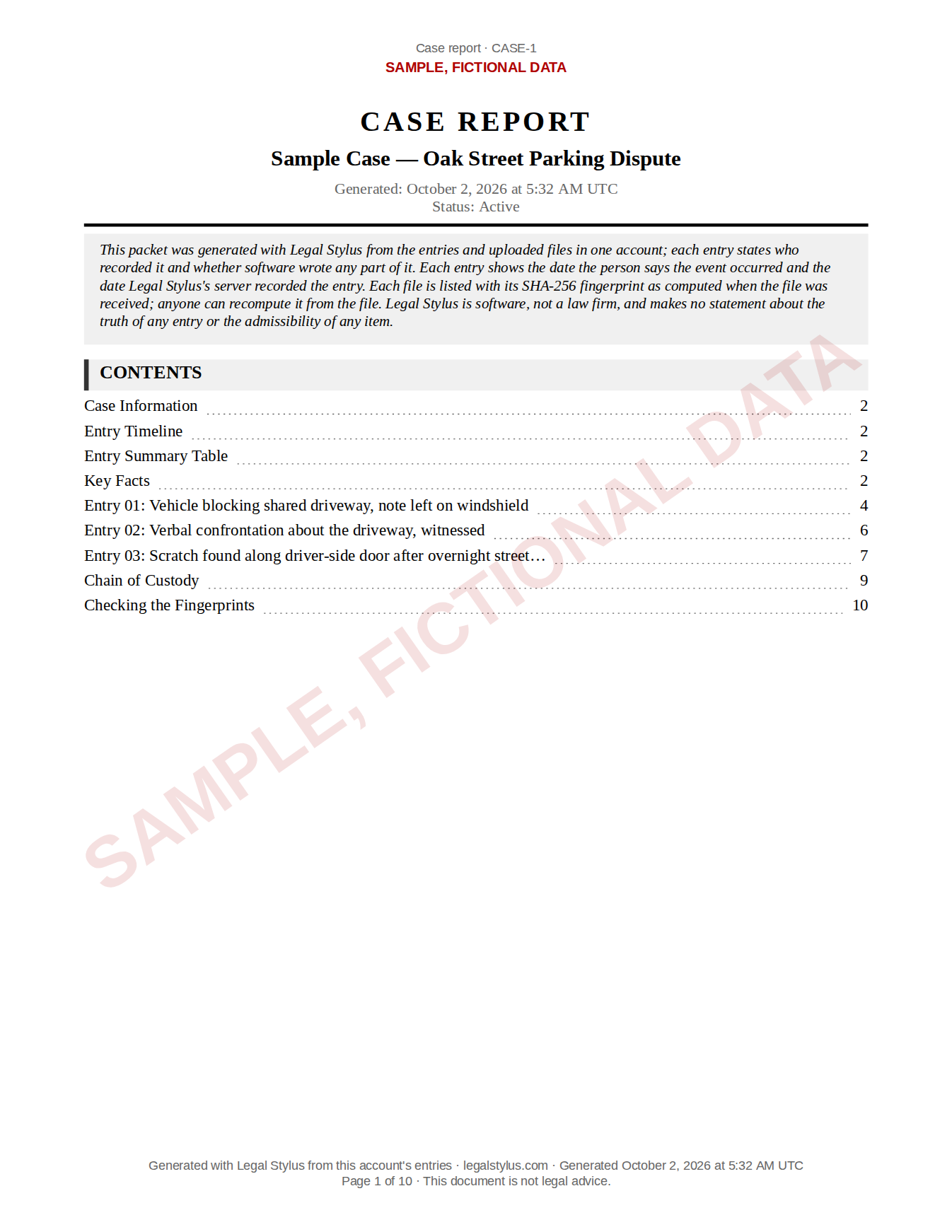 Sample export from Legal Stylus. Fictional data.
The activity history
Every entry and every case has a history: who created, edited, uploaded, removed, shared, exported, or downloaded a file, and when; each time a share link was opened; and each time someone other than an entry’s author opened it, at most once an hour per person. You see it in the app and in your export, and the database refuses to edit or delete it.
The limit: you opening your own entries is not written to it, on purpose. Link openings are recorded by time, network address, and browser, not by name. The history is kept by us, not by a neutral third party, and the database account our application uses could switch its protection off.
Export and delete
From Settings, export everything as one ZIP: every entry with every version, every file with its fingerprint, your cases, links (with every opening of each), and history. Neither depends on paying us.
Free. No card. Nothing to install.